Style your closet, your way



· 6 min read
weather-based outfit planner outfit app with weather dress for the weather AI outfit recommendations digital wardrobe
Dress for the Weather Outfit App: Stop Guessing What to Wear Every Morning
You check the weather. It says 58°F and rain. You open your closet. You stand there.
That gap — between the forecast and your actual outfit — is where mornings fall apart. You either underdress and freeze, overdress and sweat, or wear the wrong shoes and ruin a pair.
A dress for the weather outfit app closes that gap. It takes your real clothes, the real forecast, and your real calendar, and gives you a concrete answer: wear this, not that.
Why Checking the Weather Isn’t Enough
Most people already check the forecast. The problem is what happens next.
You see “65°F, partly cloudy.” Your brain translates that to… what? A light jacket? A cardigan? Long sleeves or short? Sneakers or loafers? The forecast gives data. You need a decision.
That translation — data to decision — is exactly what a weather-based outfit planner does.
The Three Variables That Matter
A useful outfit recommendation needs three inputs:
- Temperature range — not just the high, but the low and the feels-like
- Precipitation and wind — rain changes shoes and outerwear; wind changes layer strategy
- Your day’s context — walking commute vs. desk job vs. outdoor event changes everything
Miss one variable and the outfit fails. A weather outfit app that only sees temperature will suggest a cute trench for a day that’s actually 45°F with 20 mph wind.
What a Dress for the Weather Outfit App Actually Does
Not all “weather apps” for outfits are equal. Some are just pretty interfaces over generic advice. A functional one does five specific things.
1. Knows Your Actual Clothes
The app has a digital version of your wardrobe — photos, categories, and crucially, warmth tags. Every item is tagged by temperature range:
- Base layers: 30-50°F
- Light knits: 50-65°F
- Mid layers: 45-70°F
- Outerwear: mapped to specific conditions (rain shell, wool coat, puffer, windbreaker)
2. Reads the Forecast Granularly
It pulls hourly data, not just daily highs. Morning commute at 48°F? Different layer than lunch at 62°F. Afternoon rain at 2 PM? Shoes swapped before you leave.
3. Reads Your Calendar
A 9 AM client meeting + 12 PM walking lunch + 6 PM drinks = three micro-environments. The app sees the full day and builds an outfit that works across transitions, or flags where a swap is needed.
4. Generates Complete Looks
Not “wear a jacket.” It outputs: merino tee + chino + unstructured blazer + leather loafers + compact umbrella. Every slot filled from your closet.
5. Lets You Swap in Seconds
Forecast updates. Meeting moves. You tap one item — shoes, layer, bag — and the app suggests compatible alternatives from your wardrobe instantly.
The Setup: One Evening, Weeks of Value
You don’t need your whole closet digitized. Start with the rotation.
Step 1: Shoot 30-50 Core Items (20 minutes)
Pull what you actually wear:
- 8-10 tops (mix of sleeve lengths and weights)
- 6-8 bottoms (denim, chinos, trousers, shorts if relevant)
- 4-5 mid-layers (cardigans, sweaters, fleece, light jackets)
- 3-4 outerwear pieces (rain shell, wool coat, puffer, trench)
- 5-6 shoes (sneakers, boots, loafers, sandals, dress shoes)
- 3-4 accessories (scarves, belts, bags)
Flat lays in natural light. Phone camera is fine.
Step 2: Tag for Temperature, Not Just Category (10 minutes)
This is the step most people skip and then wonder why suggestions feel off.
Tag every item with a warmth range:
| Tag | Temp Range | Examples |
|---|---|---|
| Base | 30-50°F | Merino tee, thermal, thin turtleneck |
| Light | 55-70°F | Cotton tee, linen shirt, light knit |
| Mid | 45-65°F | Sweater, cardigan, flannel, sweatshirt |
| Heavy | 30-50°F | Wool sweater, fleece, quilted vest |
| Shell | 40-60°F + rain/wind | Rain jacket, trench, windbreaker |
| Winter | <40°F | Puffer, wool coat, parka |
Also tag: occasion (work, casual, event), fit (fitted, relaxed, oversized), color family.
Step 3: Connect Calendar and Weather (2 minutes)
Grant calendar access. Enable location for hyperlocal forecast. Done.
Step 4: Generate Your First Week (5 minutes)
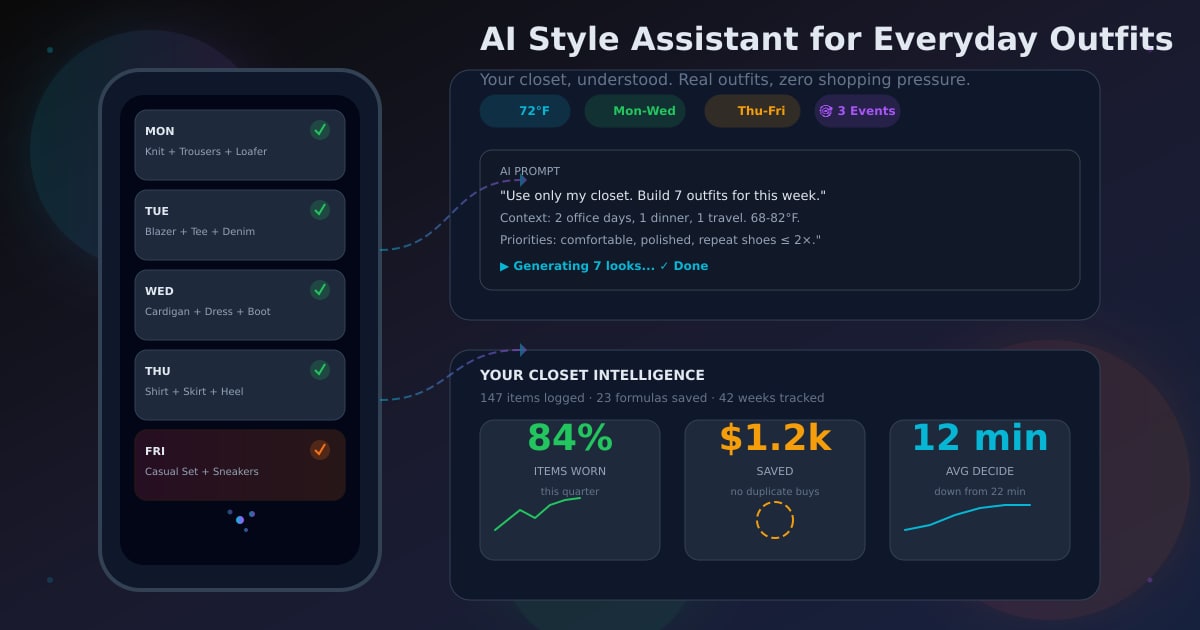
The app builds 7 outfits + 2 backups. Review each:
- Does the warmth match the hourly forecast?
- Do the shoes work for the walking/commute?
- Is the formality right for the calendar events?
Adjust any that feel off. Save.
Step 5: Friday Review Loop (5 minutes/week)
Mark each day:
- ✅ Wore as planned
- 🔄 Swapped [item] for [item]
- ❌ Didn’t wear (why?)
This feedback trains the system. Three weeks in, suggestions feel like they came from a stylist who lives in your closet.
Real Scenarios Where This Wins
The “Morning Rush” Commuter
6:45 AM. Forecast: 52°F, rain at 8 AM, clearing by noon. Calendar: 9 AM standing meeting, 1 PM walking lunch.
App outputs: Merino base + chambray shirt + chinos + waterproof Chelsea boots + packable rain shell in bag.
No standing in hallway debating. Grab. Go.
The “Indoor/Outdoor” Office Day
Forecast: 72°F sunny. But office AC runs at 68°F. Calendar: desk until 4 PM, then rooftop happy hour.
App outputs: Light tee + unstructured blazer (kept on at desk) + chinos + loafers. Blazer comes off for rooftop.
One outfit, two environments, zero awkward temperature moments.
The “Travel/Transit” Puzzle
Forecast at home: 45°F. Forecast at destination: 75°F. Flight at 10 AM, landing 1 PM.
App builds: Wear heaviest layers on plane (saves bag space). Pack light layers in carry-on. Swap in airport bathroom on arrival.
The “Sudden Change” Save
It’s 11 AM. Push notification: “Rain moved up — now 12 PM. Current shoes: suede. Swap?”
One tap → shows your waterproof options that match the rest of the outfit. Done.
How This Reduces Shopping (Without Trying)
The hidden benefit: you stop buying “just in case” duplicates.
When you can see: I have three light layers for 55-65°F but zero waterproof shells for 50°F rain — your next purchase is obvious. One targeted buy replaces five hopeful ones.
Over a season, this shifts your closet from “full of clothes” to “full of outfits.”
What to Look For in a Weather Outfit App
If you’re evaluating options, test these five things:
| Feature | Why It Matters |
|---|---|
| Hourly forecast integration | Daily high/low isn’t enough for morning vs. afternoon |
| Calendar-aware planning | Meeting vs. errands changes the outfit |
| Warmth tagging on items | Core mechanic — without it, suggestions are guesses |
| Single-item swap | Rebuilding whole outfits when weather shifts is too slow |
| Wear tracking + review loop | Without feedback, the app never learns your real patterns |
The Dripmatiq Approach
Dripmatiq was built specifically for this loop: closet → weather → calendar → outfit → wear → learn.
- Upload once, tag by warmth and occasion
- Hourly forecast + calendar events → daily outfit cards
- One-tap swaps for forecast changes
- Friday review sharpens future suggestions
- Zero shopping push — only your clothes, understood
The goal isn’t a prettier closet. It’s never standing at your closet at 7:40 AM wondering if that jacket is enough for 48°F with wind.
Final Takeaway
Weather is the variable you can’t control. Your outfit is the variable you can.
A dress for the weather outfit app turns the forecast from information into a decision. You check once in the morning (or Sunday night for the week), and the rest of the week runs on autopilot.
Your closet already has the pieces. The app just helps you see the right combination for today’s actual conditions.
Ready to stop guessing? Dripmatiq connects your wardrobe to the forecast and your calendar — so you always leave the house dressed for the day that’s actually happening.
Your closet, decoded.
See what you already own in a whole new way.